Innovation Is Scary

The recently released beta 4.3 version of Apple’s iOS for iPhone and iPad contains references to a feature called “Find My Friends.”

According to MacRumors, “the obvious interpretation is that Apple may be looking to offer a location-based friend-finding service like Loopt and Google Latitude.”

When I read this news I thought “that’s cool.”

When I told my wife about it she said, “that’s scary.”

Okay. So we don’t agree on absolutely everything. What couple does.

Her reaction made me consider the impact innovation has on our lives. We each have a vision of the future. Perhaps its a future with farms growing on the sides of skyscrapers. Perhaps its a future where we can travel to distant planets in the blink of an eye. But no matter what your vision of the future is, there is only one way to get there — one step at a time.

Beam me up, Scotty*

Every innovation that has happened in the past 100 years has been predicted by science fiction. (This is my theory anyway.)

My ideal future looks like Star Trek. Well, kind of. I see us evolving in that direction IF we don’t self-destruct first. The only way we will develop future technologies like transporters, sub-space communicators, time machines, and personnel locators is if we make baby-steps today to create and adopt new technologies that take us in that direction.

Figuratively transport yourself to early 1973, prior to the invention of the internet. Pretend you have a computer (probably a very big computer that doesn’t do much). Imagine someone says that they have a technology that can link all computers on the planet together so you can access all digital information everywhere, so you will always be connected to everyone, and that you will be constantly bombarded by communication in dozens of forms form hundreds or thousands of people — many of them you don’t even know. Does this sound scary? Does this sound like it could be abused by big brother?  Does it sound overwhelming? Would you want your computer connected with this technology?

Find My Friend may sound scary. It may have the potential to be abused. It may be boring or useless. Or it might profoundly change the way we communicate and relate with others. We won’t know how people will use it until we have it. We won’t know how it will change our lives until we are changed — until we are the future.

* According to Wikipedia, this phrase was never uttered in any of the Star Trek television episodes or movies.

Supply and Demand

How can other tablets compete with iPad if they don’t have displays?

After the announcement of the original iPad most other major computer and mobile phone manufacturers announced plans to enter the touch-based tablet market. One year later and most of these rumoured devices are still nothing more than vapour-ware.

Apple competitors caught with their pants down…again?

Apple’s interim lead, COO Tim Cook, is responsible for Apple’s supply chain. His strategic, forward-looking management has enabled Apple to crank out millions of their revolutionary devices while the competition watches from the sidelines.

For example, in 2005, prior to the launch of the original iPhone and iPod Touch, Apple secured long-term flash memory supply agreements with component manufacturers, effectively cornering the global market on this essential portable-electronics part. At the time, everyone thought this move was in response to a shift towards using flash-based memory in all of Apple’s iPod lines. However, in hindsight, it is doubtful that Apple could have delivered the millions of iPhone and iPad devices without these long-term supply agreements.

Fast forward to 2011. At their January 18, quarterly earnings call, Apple announced that they have signed long-term supply agreements with three component manufactures for a total cost of $3.9 billion dollars. Analysts speculate that the investment is in small- to mid-sized LCD manufacturing and inventory.

Apple has cash to burn, and it looks like they are using that cash to corner the mobile LCD supply market.

This is how the world ends. Not with a bang but a whimper.

And so, where are the competitors to the iPad? Even if they get released to the public and there is any sort of demand for these devices, how will the competitors supply that demand? How will Blackberry or HP be able to enter or make a dent in the market with Apple tying up the supply-chain by pouring money into the pockets of component vendors? I don’t think there will be competition for the iPad. Not today. Not for the foreseeable future.

Tom Waits vs The Internet

Tom Waits has long been one of my favourite music performers. His raspy voice is unmistakable. His subject matter is at once universal and oddball. He can write rock, blues, gospel, ballads, and funhouse music with equal aplomb.

Readers of this blog know that it focuses mostly on things digital, but if there is one thing in this world that is antithetical to digital it’s the music of Tom Waits! Tom Waits is analog through and through. (Waits defies expectations though, so to confirm the previous statement I looked for him on Twitter — @tomwaits is obviously maintained by his record label or PR agency.)

L’Orchestre d’Hommes-Orchestres

Last night I went to a see Quebec City’s L’Orchestre d’Hommes-Orchestres perform Tom Waits at Calgary’s historic Grand Theatre. (Last night was the 100th anniversary of the first ever show at the Grand.) Their show is part concert, part vaudeville theatre, part mayhem. L’Orchestre pour all their energy into each arrangement, finding inventive ways to make music and channel the spirit of Mr. Waits.

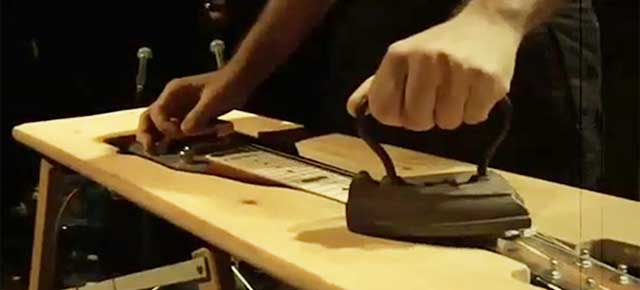
The stage on which L’Orchestre perform is strewn with over 100 items (in truth, pieces of junk) from which they coax sound with [pullthis]the subtlety of a golf club striking a frying pan[/pullthis] (one of the “instruments”) or boxing gloves pounding a piece of wood (another). By the end of the performance the stage is in shambles, the performers spent, and the audience converted.

These days we are surrounded by all types of communication that are 100% digital: smart phones, the iPad, digital photography, digital music and video downloads, Twitter, Facebook, SMS, email. Watching L’Orchestre it struck me what a treat it is to see something so decidedly analog. It is a rare and precious thing to connect with someone who is beating out a frantic rhythm on a banjo with a fist full of dry spaghetti noodles; to be enchanted by two ladies in proper 1940’s dress tapping their spoons against absinthe filled tea cups; to hum along to a whiskey jug band, drunk on longing.

[pullshow]

One of my joys in life is getting away from modern city life and spending time in the wilderness (or even a park if I can’t get away for very long). Last evening I felt the same joy listening to Tom Waits as performed by L’Orchestre d’Hommes-Orchestres as I do when hearing the sound of footsteps crunching dry leaves, water dripping from a canoe paddle into a glassy lake, wood exploding from the force of an axe, or fire crackling in the moonlight with coyotes howling in the distance.

So here is my advice to you. Right now, before you do anything else: listen to some Tom Waits in iTunes (or better yet, on vinyl if you have some); visit L’Orchestre d’Hommes-Orchestres website or search for them on YouTube and watch something truly amazing (warning—not a replacement for seeing them live); or, stand up, turn off your computer, go outside, feel the sun on your skin, and listen to the sound of clouds forming or stars exploding in the universe light-years from where we are now.

I Wish My Computer Could Do What My Phone Does

Using an iPad on a train

When I got my fist-generation iPod touch a couple of years ago I was instantly impressed with its power and capabilities. The main reason I bought it was to use as a remote for my Apple TV and iTunes (the Remote app had just been introduced). The more I used it though, the more I fell in love with the UI, interaction, and amazing games and apps that were being introduced. Two iPhones and an iPad later I am still constantly delighted when using my iOS devices.

Occasionally I wish that the my mobile devices could do things that my desktop and laptop computer can do:

[pullshow id=”documents”]

  • I wish Apple would release ScreenSharing and Terminal clients for iOS — the third-party apps I’ve used just don’t cut it — then I could access all my other computers, all my data, from anywhere. (See update described below.)
  • I wish iOS supported OpenVPN either natively or via a third-party app (or that our company would switch to Cisco).
  • [pullthis id=”documents”]I wish it was easier to manage documents in iOS[/pullthis].
  • I wish I could install fonts in iOS, particularly for the iWork apps. (Seriously Apple, what were you thinking!)
  • I wish iOS would sync music, apps, and docs over-the-air (the way iTunes and AppleTV 1G did) — I should’t have to ever plug my iOS devices into my Mac except to perform the occasional back-up. (Rumour has it iOS 4.3 will feature over-the-air syncing of photos).

I don’t wish I had USB connectivity or any such nonsense. Who wants a bunch of wires hanging around? (BTW, the dock is USB, just with a proprietary interface).

Using an iPhone on the street

This past fall and winter I decided to start traveling with only my iPhone and iPad, and to leave my laptop at home. After several multi-day business trips and three weeks in Europe to visit friends and family for Christmas I have grown quite accustomed to using only an iOS device for all my computing needs, day in and day out. I survive just fine thank you very much, and there isn’t much I can’t do, computer-wise. On an emotional level, I actually feel sad when I see someone pull out their laptop on a plane (even more so if it is not a Mac) — they just don’t know what they are missing.

On my return from Europe post-Christmas I was shocked to discover how hard it was to actually sit down at a desktop or laptop computer. I now loathe to be tied to a desk while I work. I need to be fluid and mobile. I swear I get more work done on the train to and from work than I get done sitting at me work desk all day.

Also, now each time I sit down at my desktop, I find myself wishing it functioned more like my iPhone and iPad:

[pullshow id=”moving-parts”]

  • I wish desktop apps were simpler. Had less clutter, and did what they do…better.
  • I wish my laptop had location-based services. For example, when I look at a map, I want it to respond to where I am at that moment.
  • I wish my Mac Mini and MacBook Pro would use less power! That’s an odd comment I know, since the Mac Mini is über-efficient as it is. But I just feel it in my soul that the scaled back, intimate experience of mobile devices is better for the planet.
  • [pullthis id=”moving-parts”]I wish desktop computers had zero moving parts[/pullthis]. Moving parts wear-out and break. Moving parts are noisy. Solid-state computing is bliss.
  • I wish my desktop screens were touch-enabled. Never underestimate the power that touch has to increase your engagement with content.
  • I wish all my iOS apps could run on my desktop computer.

Have you had a similar “desktop vs. mobile” experience. Will there be a place for desktop computers in the future. Will touch, voice, and motion input (e.g., Kinect) eventually render the keyboard and mouse obsolete. And if you can’t imagine the increased impact mobile technology will have on your life, can you imagine the impact it will have on the next generation? That is the future after all.

UPDATE (2011-01-29): On January 27, Splashtop Remote Desktop server for OS X was released. Splashtop Remote Desktop is an app available for iPad, iPhone, and Android that provides remote control screen sharing of OS X and Windows from your mobile device. Set-up of the OS X server and iPad version is easy, and the experience is great so far. It can be configured to resize the desktop display to 1024 x 768 to present at native screen resolution. An additional component installation on your Mac allows sound to be routed to the remote device too (even something Apple’s OS X Screen Sharing.app doesn’t do).

App User IQ

Are iPhone/iPad users smarter than desktop computer users? The Mac App Store has been live for a couple of weeks now, and many of the review comments defy explanation. Many Mac App Store users seem to be unable (or unwilling) to read the app descriptions, set-up procedures, etc. I’ve seen tonnes of comments (and low ratings) from people who don’t appear to even understand what the app is for. How thick can you get? I’ve seen this a bit in the iOS App Store, but not to the same extent. Which leads me to wonder, are mobile users smarter than computer users still tied to their desktops/laptops?

I hope the nature of Mac App Store reviews improves over time. Ignorant, childish, offensive, and off-topic reviews are a huge turn off (I’m referring to you YouTube).

Visualization: Beautiful Data

Visualization: Beautiful Data

I characterize myself as a visual person who loves analytics. Occasionally I go on visualization binges, consuming every infographic, visualization, and cool presentation I can find. Some of my latest joys…

Hans Rosling

Hans Rosling is a passionate and charismatic presenter. He obviously cares about numbers and makes understanding large concepts easy, and fun.

Hans Rosling’s 200 Countries, 200 Years, 4 Minutes, an update to his classic Ted talk

David McCandless

David McCandless VisualizationDavid McCandless finds patterns and connections in data that most people might miss. His graphic visualizations are aesthetically simple, but conceptually powerful.

The beauty of data visualization Ted talk

Microsoft PivotViewer

Don’t ever let anyone tell you that Microsoft never does anything cool. PivotViewer is a powerful tool for viewing large datasets, especially image based ones. I haven’t seen too many real-world implementation, but a few proof-of-concept deployments point to PivotViewer’s potential.

http://www.silverlight.net/learn/pivotviewer/

PivotViewer sample app using NetFlix data

Wordle

Wordle isn’t new, but it is fun. Pull text in using several useful methods (try pulling in your Delicious bookmarks) and get a word-cloud you can customize the look of.

http://www.wordle.net/

Visual Thesaurus

I fell in love with Visual Thesaurus last year during the re-architecting of istockphoto.com. See relationships between words. Find better words. Learn new words. Great for vocabulary creation in IA, and for word-geeks.

http://www.visualthesaurus.com/

Visual Thesaurus VocabGrabber is similar to Wordle — semantically more powerful but less pretty.

http://www.visualthesaurus.com/vocabgrabber/

If Web Browsers Were Celebrities

Aparently I am currently using the Samuel Jackson 5.0.3 browser.

http://walyou.com/if-web-browsers-were-celebrities-infographic/

BeeDocs Timeline 3D

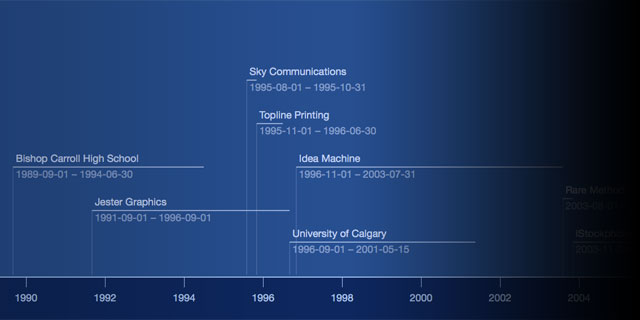
BeeDocs TimelineI’m going to use BeeDocs to map a product development roadmap. Export to PDF, movie, or Keynote. Importers built-in for some Apple apps, as well as a CSV importer. Applescript-able too.

http://www.beedocs.com/

10 Free Data Visualization Tools

A good resource linking to open tools you can use to build visualizations.

http://edelmandigital.com/2010/12/06/10-free-data-visualization-tools-2/

Google Charts/Interactive Charts/Visualization API

I occasionally use Google Charts. Simple and easy to use.

http://code.google.com/intl/en/apis/visualization/interactive_charts.html

The URL of the homepage of this site as a QRCode generated by Google Charts:

Visual Complexity

visualcomplexity.com

Wow. I haven’t even begun to explore the library of projects demonstrated in Visual Complexity—a collection of network visualization apps. Founded by Manuel Lima, Senior UX Designer at Microsoft Bing.

http://www.visualcomplexity.com/

RAMA (“Relational Artists Map”), for example, maps relationships between bands using last.fm data. A fun way to explore music. Using RAMA I found The Concretes, a swedish band that I am listening to right now.

http://rama.inescporto.pt/

Processing

Processing is an easy to use programming language and environment for building data-driven graphic applications. Awesome for visualization. Processing is the engine behind a lot of the examples at Visual Complexity

http://processing.org/

[pullshow id=”magic”]

I just this very moment discovered that a related project, Processing.js, lets you run your Processing code in any HTML5-capable modern browser using the tag and javascript. (Traditional Processing apps required Java.) “[pullthis id=”magic”]It’s not magic, but almost.[/pullthis]” I guess I know what I an doing this weekend. Geek-time.

http://processingjs.org/

My related Delicious bookmarks

http://www.delicious.com/asphotographics/visualization

http://www.delicious.com/asphotographics/infographics

Word-of-the-day: Sawbuck

Sawbuck is not a common word in Canada (for my generation anyway), but may be more common south of the border — in the U.S. (not Mexico). Buck, a diminutive, was a common Canadian reference to the one-dollar bill, until the paper version was replace with a one-dollar coin (featuring an engraved Loon), then the slang “loonie” became popular.

SAWBUCK: Originally slang for a sawhorse, fashioned in the 18th century by lashing together two pieces of wood into an “X” shape. With an X-shaped support at each of two ends, the contraption served to hold wood for cutting. With the advent of the U.S. 10 dollar bill, which bears the Roman numeral X, “sawbuck” became slang for the bill, as people associated the shape with the sawhorse. The slang term “buck” originated in the mid-19th century in reference to the dollar.1

To ”buck wood” is the process of cutting a long log or tree into shorter sections, usually in preparation for chopping into firewood. I know this because I recently became enamoured with chainsaws.

1. D O’Regan @ http://community.nytimes.com/comments/gadgetwise.blogs.nytimes.com/2010/12/01/best-media-apps-for-the-ipad/

Infinite Recursion

During an after-work conversation (with too much wine I might add) the topic of photography came up. Well, I work for a company that sells stock photography, so this topic wasn’t too surprising.

[pullshow id=”cheap”]

So there we sat, talking about the inconceivable volume of images produced everyday, or every minute; how ubiquitous high-quality digital cameras have become, thanks to smartphones; and how easy it is to share our lives through pictures at any moment, not matter where we are.

It’s hard to comprehend trying to organize the volume of content created today. Our host that evening believed that the majority of what gets recorded is lost in a digital black-hole, never to be seen again. To some extent that might be true, but the internet is doing a damn good job of scaling to the point were [pullthis id=”cheap”]it costs almost nothing to share almost everything[/pullthis]. (For example, it was recently reported that every minute, thirty-five hours of video are uploaded to YouTube.)

The post-camera world

I’m not sure if it was the wine or not, but a thought flashed in to my mind in that moment. Sitting in a room with friends from all over the globe I started fast-forwarding into the future.

[pullshow id=”passive”]

“Extrapolate the current trend,” I exclaimed.

“Extrapolate what has been happening with photography for the past 10 years.”

“Extrapolate what photography is and what it has been doing since it was invented 200 years ago—recording moments in time for others to view.”

“At some point, we won’t take pictures anymore. Our lives will be continuously recorded, archived, and shared.”

I wasn’t scared by this line of thinking. It was pleasing to know that I could, at any moment retrieve the experiences of anyone else and view events as if I was there, and that [pullthis id=”passive”]I wouldn’t have to be selective about what I photographed or even be active in the process[/pullthis]. It would just happen.

So, imagine a world where everything is being photographed or recorded, all the time. Imagine a world where you never really miss any event. Where everything is being shared constantly.

Is this world really that far away?

Pros and Cons of Digital Magazines

Project

The office was abuzz this week with the launch of Virgin Digital Publishing’s iPad-only Project digital magazine.

“Have you seen the new Virgin app?” one of my staff said, holding our research iPad.

He held up the iPad and flipped through a few stories.

“It’s pretty cool. They’re trying to make content interactive, and include video in the layout,” he gushed.

“Like the web?”, I asked.

Later that same day, my boss was looking at Project, and was a bit unimpressed by the clunky and unintuitive feel of the interface.

“It’s a bit buggy and hard to use,” he said.

“Like the web?”, I asked.

In art school, I had a history professor that taught me one very important thing—the old medium becomes the content of the new medium.

I’m not sure how that’s relevant here, but it sounds cool.

Where was I? Oh yeah, new mediums. The iPad, as much as I love it (you should buy one if you haven’t already), is not a new medium. It’s a new package for a medium we’ve had for quite some time — the internet. It’s a great package, a tactile package, but not more than that.

[pullshow id=”appification”]

Taking older mediums (pre-web mediums) like books, magazines, or television and trying to port them to the internet, or worse, to a mobile app, just doesn’t make sense. [pullthis id=”appification”]We abandoned magazines and newspapers for the internet years ago, didn’t we?[/pullthis]

If it is not hyperlinked, social, real-time, user-generated, and ubiquitously available, does it have a place in our lives today? Does a general interest magazine, produced by one of the richest men on the planet, with more artifice than art have any validity?

Don’t get me wrong, I’m all for experimentation (R&D is my job). I’m all for pushing the boundaries and coming up with new ways to use a medium. Or coming up with new mediums. But content is king, and traditional magazine content is just not that relevant anymore.

Publishing now

Prior to the launch of the iPad, a group called Bonnier released a video detailing the research they’d been doing to bring magazines into the digital age. Mag+ was the result. (Appropriately, Popular Science+ was the first Mag+ published when the iPad was released.) The interface in the Mag+ prototype was refined and the concepts well thought out. Editorial content was given priority over interface artifice. At the time, it seemed as though tablets would provide a fresh and interactive way of navigating content — a much needed improvement over the age-old and not-so-intuitive keyboard and mouse.

When the iPad was released, the digital publishing revolution never really happened. E-books and digital magazines just didn’t hold the prominence that people thought they would. Sure, I’ve mostly eliminated my printed magazine purchases in favour of viewing them digitally (mostly to save paper and space), but, in general, people aren’t using the iPad (or their smartphones) to view statically produced content (even it is multimedia). They are using their devices to stay connected to the internet and all the dynamic and social content it contains.

The iPad (like the iPhone before it) did change the way people interact with content, but that content primarily comes from the web, not traditional media vendors, like Virgin. I’m going to make a completely un-scientific estimate and say that 95% of the text and video content people are interested in today comes from user-generated articles, blogs feeds, Twitter, Facebook, YouTube, Vimeo, etc.

Bonnier have recently announce the next phase of their digital publishing research, News+. Similar to Mag+, News+ promises to bring newspaper publishing into the digital age, packaging the news in a format that makes sense in the mobile, ubiquitous computing age. Content will still be packaged and curated by the media vendor, to “filter out the din of the web”1, but will update throughout the day as stories change. You will be able to share comments with authors and other readers. Again, it looks promising, but I can’t help but think that this is effort is too little, too late. Or even a bit misdirected.

[pullshow id=”uber-aggregator”]

As digital citizens we know where to find content that meets our interests. We have friends, networks, people we follow on Twitter, and blog feeds we subscribe to. We don’t need another source of content. We need a better package for the personalized content we are interested in. [pullthis id=”uber-aggregator”]We need an über content aggregator, with the ability to get content from any source, filter it, and present it in an interactive and meaningful way.[/pullthis]

Qwiki, a beta multimedia information aggregator, is a step in the right direction. It mashes together text-based wiki content, photos, and videos and presents them in an interesting audio-visual format. But it’s more like an encyclopedia of knowledge than a source for real-time information.

Real-time aggregator tools and apps do exist today. One of my favourite apps, Reeder for iPhone and iPad (in combination with Google Reader), let’s me create a taylor made constantly updated feed of information from multiple sources and consume it whenever and wherever I am. Likewise, the iPad app Flipboard streams content from Facebook and Twitter activity, organizing it in a topical multimedia magazine format.

Unlike Project, the experience of these apps is great and the content is, well, mine. Like the web.

—-
1. http://vimeo.com/17148059